
TimeSheeta has no “forgot password” link, and sends no reset emails. An administrator resets the password instead: on the People tab, press Reset password on the person’s row, then press Generate one, or type a new password and press Set this password. Then pass the new password on to them.
Resetting needs a role that can manage users, such as the built-in Administrator role.
Step by step
-
Open the People tab, and find the person’s row.
-
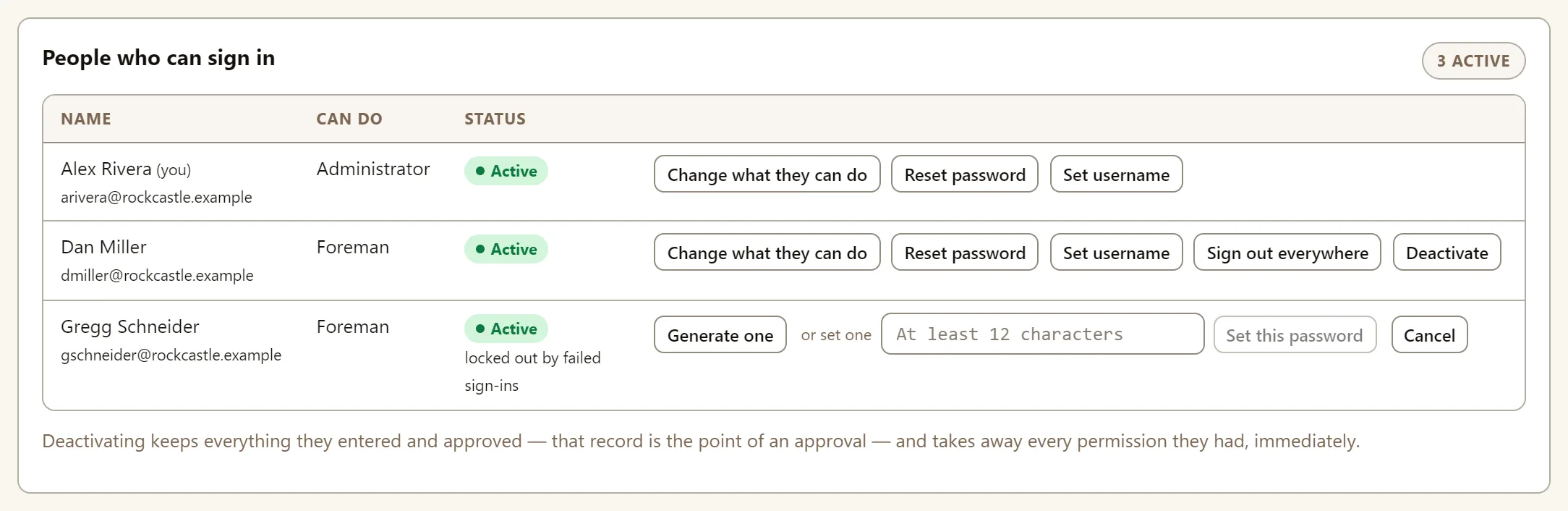
Press Reset password. Their row now offers Generate one, a box to set one yourself, and Cancel.
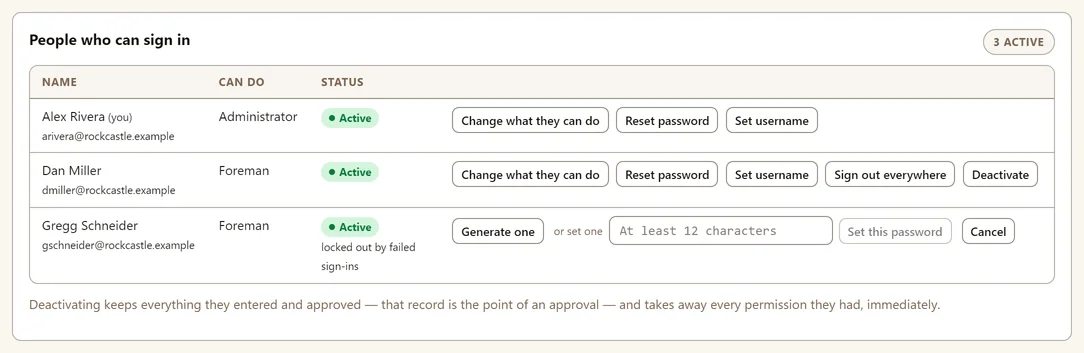
This person is also locked out after too many failed sign-ins. Resetting the password lets them back in. -
Choose the new password:
- Generate one: TimeSheeta makes a password and shows it to you once.
- Set one: type a password of at least 12 characters in the box, and press Set this password.
-
Pass it on. A generated password appears under New password for their name. Send it to them, then press I have sent it.


What happens to the user and their old password?
- They sign in with the new password straight away.
- They are signed out on every other device. Any phone or computer they were signed in on asks them to sign in again, with the new password.
- If they were locked out, the reset unlocks them as well.
Why is someone locked out?
After 10 wrong passwords in a row, TimeSheeta locks the sign-in for 15 minutes. They see “Too many failed attempts. Please try again later.” and their row on the People tab says locked out by failed sign-ins. Wait 15 minutes, or reset the password to let them in now.
What if a device has been lost?
Press Sign out everywhere on the person’s row on the People tab. Every device they are signed in on is signed out straight away, and their password stays the same, so they can sign in again on the devices they still have. Any hours still waiting to upload on the lost device stay on it, and upload if somebody signs in on it again.
Can I reset my own password?
Yes. Your own row has Reset password too, so it works the same way. Your other devices are signed out; the one you reset it on stays signed in.