Security
Speed without compromising security
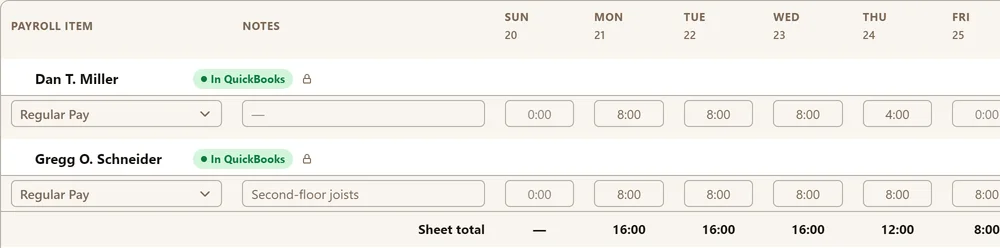
Approved time entries synced with QuickBooks become locked and can only be changed in QuickBooks.

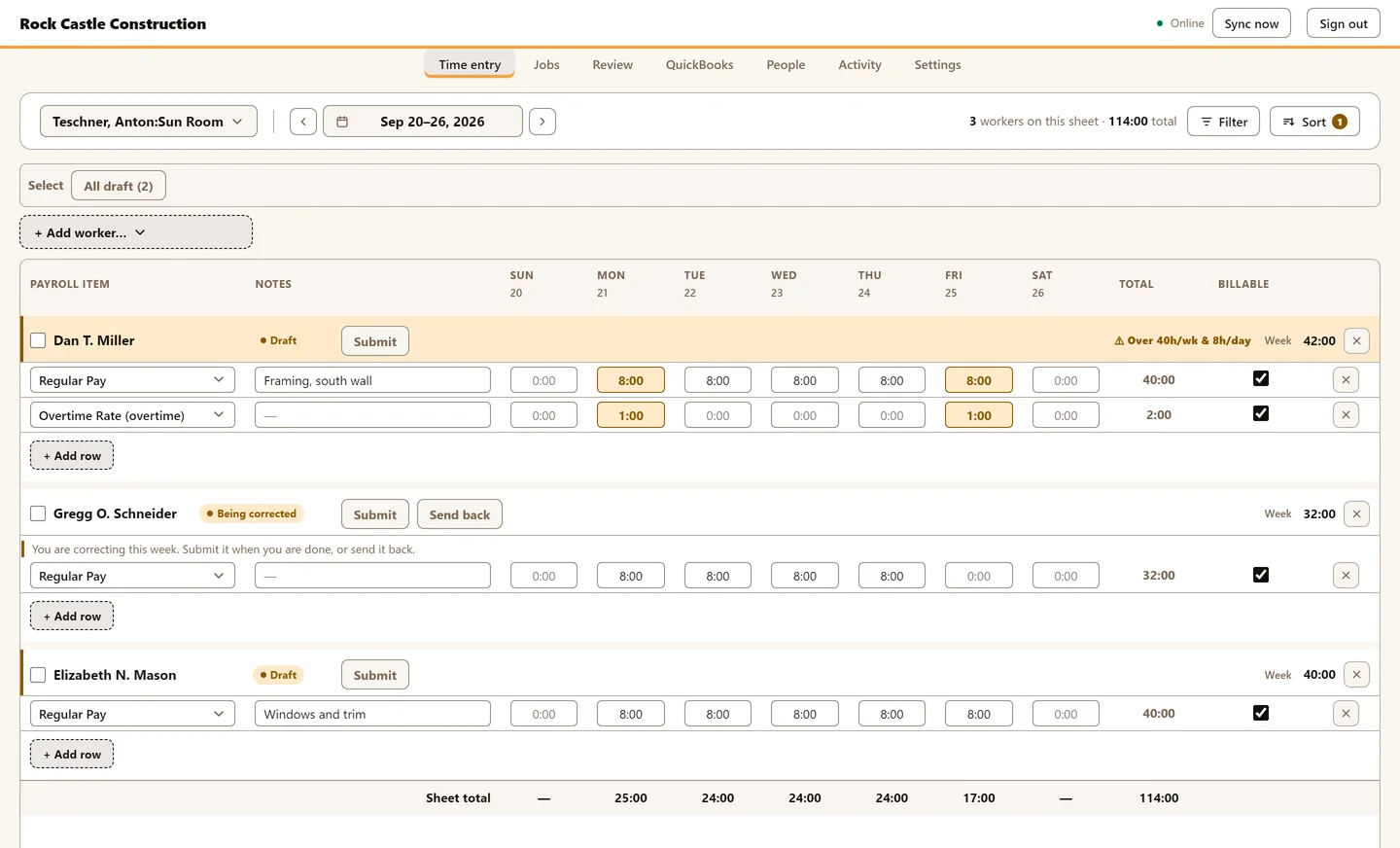
Time entry for the way it's actually managed in the field. Enter crew time by job and by shift in seconds. Review, correct, and approve hours online. Send everything to QuickBooks to run payroll.
Pick a project, add workers, select their payroll items, add their time. It's that easy.
Approved time entries synced with QuickBooks become locked and can only be changed in QuickBooks.
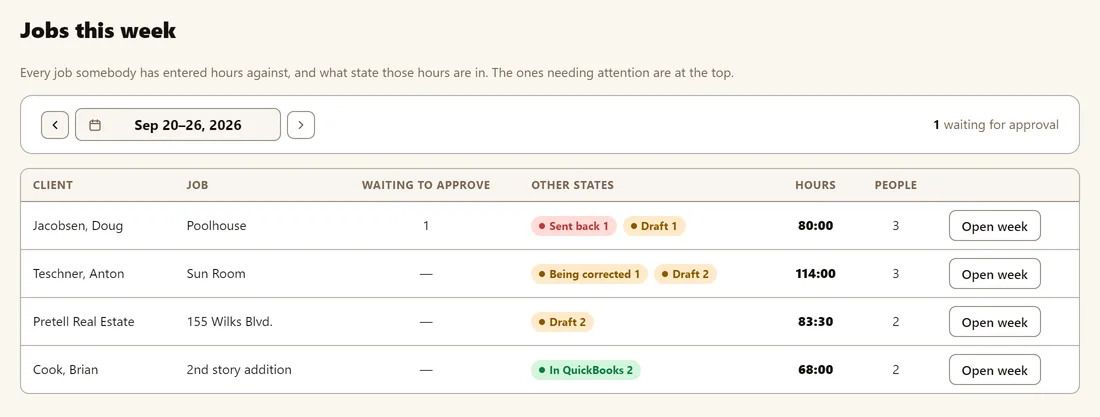
Jobs this week shows you the jobs that require review and approval. Pick a different week to see time you may have missed.
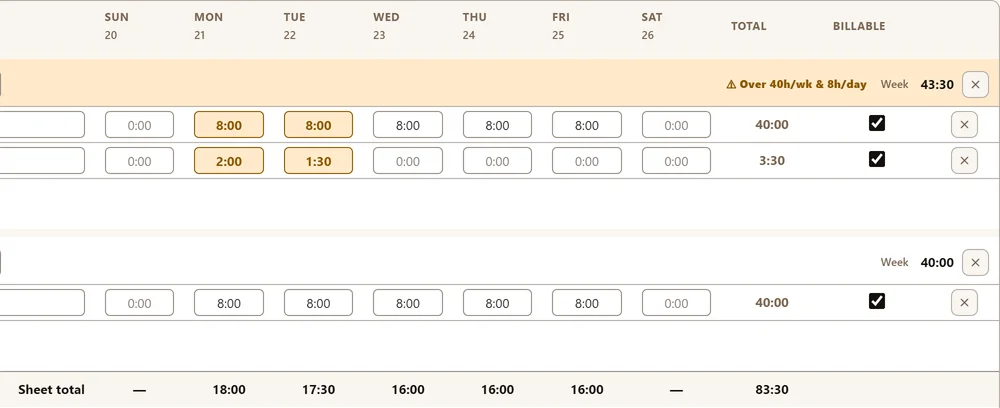
TimeSheeta highlights days that exceed 8 hours or weeks that exceed 40 hours to help you keep entries correct.
Built-in time entry, submission, and approval workflows allow foremen in the field to enter, correct, and submit time. Once time is submitted, it can be sent back, edited, or approved for syncing with QuickBooks.
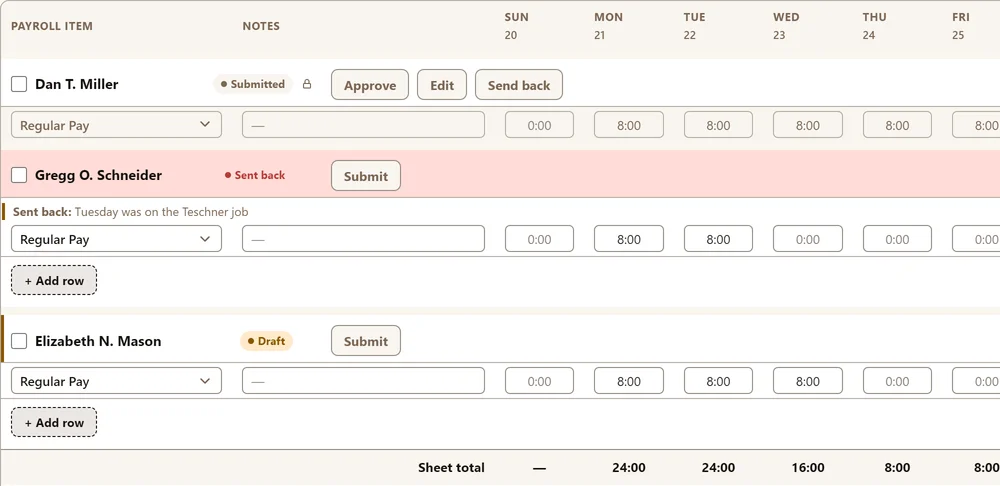
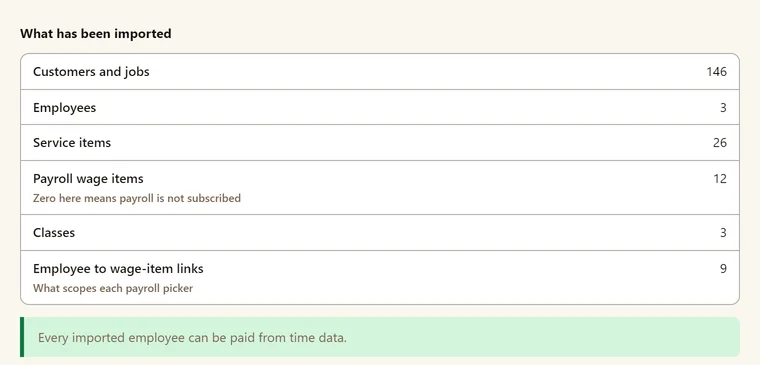
TimeSheeta is designed to work the way your QuickBooks company works. No convoluted mapping, no double entry, set up QuickBooks the way you want and TimeSheeta will follow.
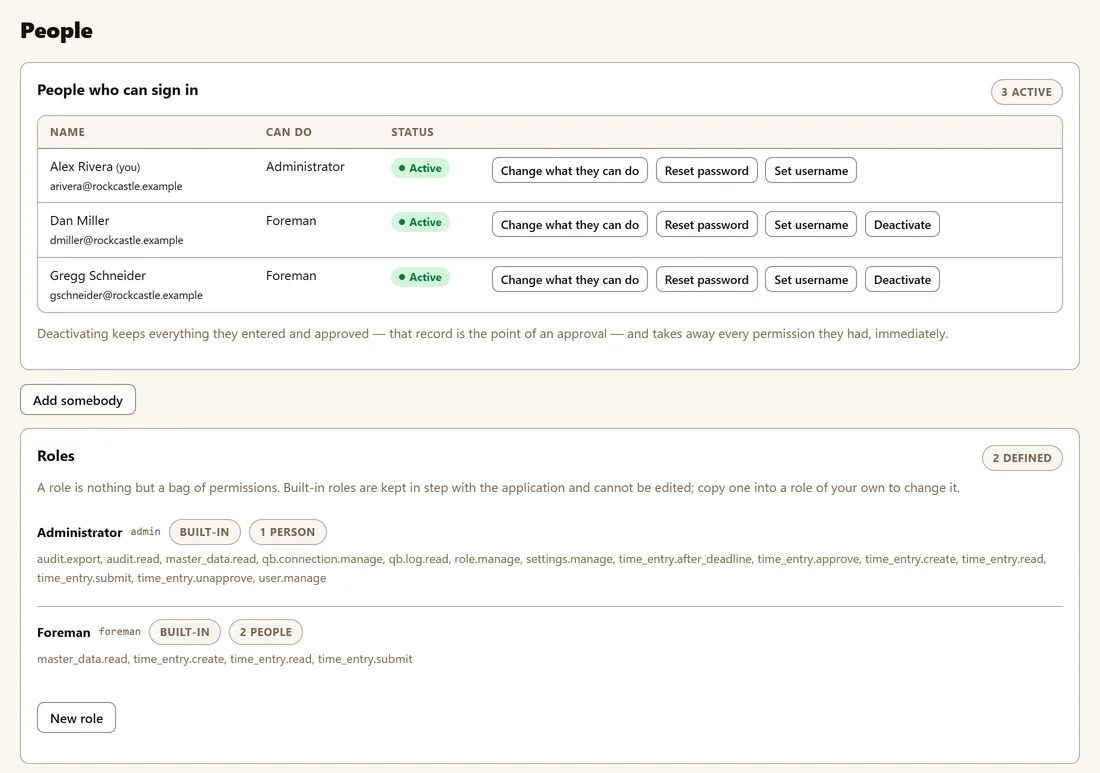
Foremen in the field enter time and office admins approve it. Does your company work differently? Create your own roles and permissions.
I tried at least 6 other applications to implement time entry in the field. TimeSheeta is the only one that does exactly what I need. QuickBooks integration is painless and time entry is so fast. I couldn’t ask for a better application.
No, (at least not yet). TimeSheeta is built to work with QuickBooks Desktop. However, you can sign up for our newsletter to be one of the first to know when we release TimeSheeta for QuickBooks Online.
TimeSheeta is built and tested on QuickBooks Enterprise. If you're on QuickBooks Pro or Premier, please talk to us before you buy.
No. Only your Foremen or Field Supervisor needs an account to log in and enter hours for their crew. TimeSheeta replaces the paper timesheet for a digital one.
Entered hours are saved on the device and upload for submission or edits as soon as you have signal again.
Yes, but not in TimeSheeta. Sent hours become locked, and corrections must be made in QuickBooks.
No. If your first month of payroll doesn't come across cleanly, you get a full refund.
About thirty minutes. We review how your company file is set up, and spend a session with your QuickBooks admin to link TimeSheeta with QuickBooks.
Only the things needed to enter hours: customers and jobs, service items, classes, payroll items, and employees. TimeSheeta never stores pay rates, Social Security numbers, birth dates, addresses or other personal details. Everything travels over HTTPS, and TimeSheeta only ever adds timesheet entries to your QuickBooks company once they've been approved. The Security page has the details.